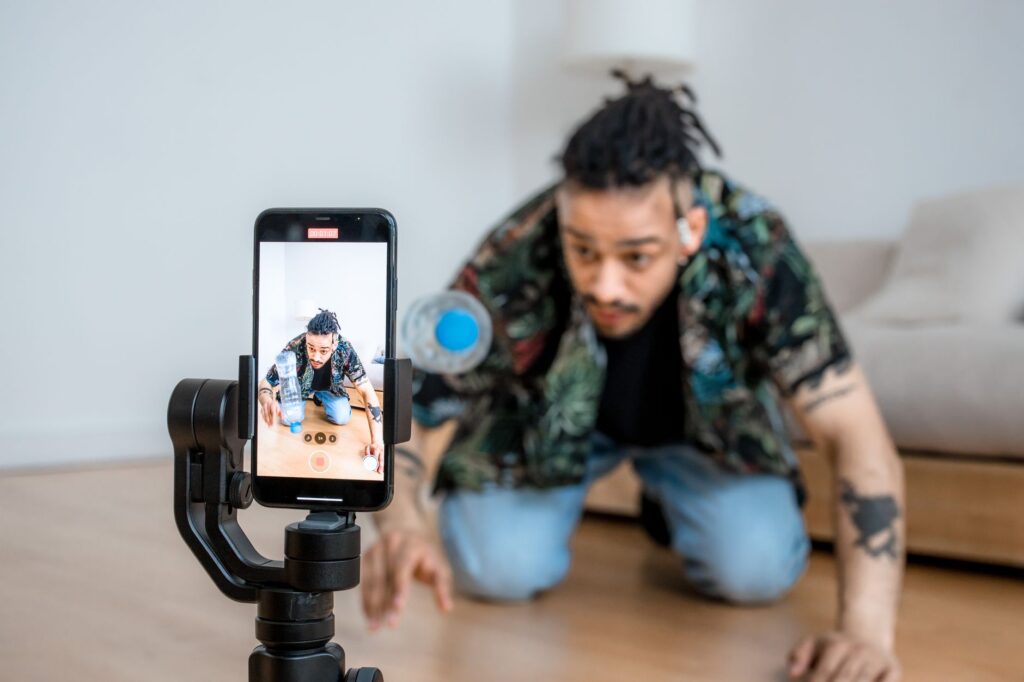
TikTok Spark Ads let you run real organic posts as ads, using either your own videos or a creator’s video with their permission. You set them up in TikTok Ads Manager by pulling an authorized post with a Spark code or pushing a video from your library. They keep the likes, comments, and native look of a normal post, which is why they usually beat plain ads on both cost and results.
The short answer: Spark Ads are TikTok ads built from genuine organic videos instead of stiff ad creative. You either pull an existing post using a Spark code the creator generates, or push a video from your own account. They carry real engagement and look native, so they earn cheaper clicks and higher trust than standard In-Feed ads.
Some links here are affiliate links. If you sign up through them we may earn a commission at no extra cost to you. We only recommend tools we actually use. Updated July 2026.
What TikTok Spark Ads actually are
A Spark Ad is a real TikTok post promoted as an ad. Instead of uploading a fresh video that screams advertisement, you take a post that already exists, yours or a creator’s, and put spend behind it. The likes, comments, shares, and follower link all stay attached, so viewers see social proof instead of a cold sales pitch.
That is the whole edge. TikTok users scroll past obvious ads and stop for content that looks like content. Spark Ads look like content because they are content. This is the format TikTok itself pushes for direct response, and it is the one I tell people to start with before touching anything fancier.
Spark Ads vs regular In-Feed ads
Spark Ads and standard In-Feed ads both appear in the For You feed, but Spark Ads run from a real account and keep their organic engagement, while non-Spark In-Feed ads are uploaded straight into Ads Manager with no post behind them. Spark Ads usually win because the social proof and native feel lower cost per result and build your account at the same time.
| Feature | Spark Ads | Regular In-Feed ads |
|---|---|---|
| Source | A real organic post | A file uploaded to Ads Manager |
| Likes and comments | Kept and keep growing | None carried over |
| Profile and follower gain | Yes, drives to the real account | No |
| Native look | High, looks like normal content | Lower, reads as an ad |
| Use a creator’s video | Yes, with a Spark code | No |
| Typical cost per result | Lower | Higher |
Put simply, a regular In-Feed ad spends money and gives you nothing to keep. A Spark Ad spends the same money and leaves you with a bigger account and a video that gathered real engagement. Same budget, better leftovers.
How to set up TikTok Spark Ads: the two methods
There are two ways to create Spark Ads, and which you use depends on whose video it is. Pull an existing post when the video already lives on an account, yours or a creator’s, using a Spark code for permission. Push a new post from your Ads Manager library when you want to publish and promote in one move. Both finish inside a normal campaign.
Method 1: pull an existing post with a Spark code
To run someone else’s video, or your own already-posted one, you need a Spark code. The account owner generates it in the TikTok app in five steps: open the video, tap the three dots or share arrow, select Ad settings, toggle Ad authorization on, choose a duration of 30, 60, or 365 days, then tap Generate code and Copy code. They send you that code, you paste it into Ads Manager, and the post is yours to promote.
In Ads Manager, open the TikTok posts tab in your ad creative, click Add post, paste the code, and confirm. You can batch authorize up to 20 video codes at once, which matters when you are working with several creators. One rule that trips people up: you cannot edit the caption after a post is authorized, so make sure the caption is final before you generate the code.
Method 2: push a new post from your library
If the video is not posted yet, push it. In your campaign, go to the ad creative section, choose Your Library, select the video, and set the Identity to the TikTok account it should post from. Then complete the ad details: music, text, call to action, destination link, and tracking. Click Publish all, and TikTok posts it as a Spark Ad from your chosen account.
Pull vs push: which method should you use
Use pull when the video already exists, especially for creator and influencer content, because the Spark code hands you permission without moving the file. Use push when you are creating fresh ad content and want it live and promoted in one step. Most businesses use both: push their own new videos, and pull the best clips from creators they partner with.
| Situation | Best method | Why |
|---|---|---|
| Promote a creator’s video | Pull with Spark code | Only way to use content on their account |
| Boost your own existing post | Pull with Spark code | Keeps the engagement already earned |
| Launch a brand-new ad video | Push from library | Publishes and promotes in one move |
| Work with many creators at once | Pull, batch codes | Authorize up to 20 videos at a time |
Why Spark Ads usually cost less and convert more
Spark Ads win on three fronts. They look native, so more people watch instead of scrolling, which lifts watch time and lowers CPM. They carry real social proof, so viewers trust them more than a faceless ad. And they grow your actual account while they run, so the spend builds an asset instead of vanishing. Cheaper attention plus higher trust is the whole game.
This is also why creator content outperforms polished brand videos on TikTok nine times out of ten. A phone-shot clip from a real person feels honest. A glossy studio ad feels like it wants your money. On TikTok, honest wins, and Spark Ads are how you buy honest at scale.
When Spark Ads are not the right move
Spark Ads need a real post and, for creator content, a willing creator and a Spark code. If you have no organic videos worth promoting and no creator partnership, you have nothing to spark yet, so make content first. They also do not fix a weak offer or missing tracking. Get your TikTok Pixel set up first so you can actually measure what these ads do, then spark your best video.
Not sure which of your videos to put money behind? Join the free community and share them. A second opinion before you spend beats guessing after you have.
How Spark Ads fit your wider TikTok setup
Spark Ads are the creative half of running TikTok ads well. The other half is the platform and the tracking. If you are new, start with TikTok Ads Manager vs the Promote button to get on the right tool, set up the TikTok Pixel to track results, and check how much TikTok ads cost so your budget is realistic. Then spark your best content and let it run.
Spark Ads sit inside a wider workflow. The full TikTok Ads Manager guide covers account setup, objectives, targeting and the metrics worth acting on.
Frequently asked questions
What is a TikTok Spark Ad?
A Spark Ad is a real organic TikTok post promoted as an ad. Instead of uploading fresh ad creative, you put spend behind an existing video from your account or a creator’s, keeping its likes, comments, and native look. TikTok recommends Spark Ads for direct response because they perform better than standard ads.
How do I get a TikTok Spark code?
The account that owns the video generates it in the TikTok app. Open the video, tap the three dots or share arrow, select Ad settings, toggle Ad authorization on, pick a duration of 30, 60, or 365 days, then tap Generate code and copy it. They send you the code to paste into Ads Manager.
What is the difference between Spark Ads and non-Spark ads?
Spark Ads run from a real account and keep their organic engagement and profile link. Non-Spark In-Feed ads are files uploaded straight into Ads Manager with no post behind them and no engagement carried over. Spark Ads usually cost less per result and grow your account while they run.
Can I use a creator’s video as a Spark Ad?
Yes, that is the main reason Spark Ads exist. The creator generates a Spark code for their video and shares it with you, giving permission to run it as an ad from their account for the chosen duration. You can batch authorize up to 20 videos at once.
Do Spark Ads cost more than regular ads?
No, the ad cost is the same auction, but Spark Ads usually deliver a lower cost per result. Because they look native and carry social proof, more people watch and click, which lifts watch time and lowers your effective CPM compared with an uploaded ad.
Can I edit the caption after creating a Spark Ad?
No. Once a post is authorized as a Spark Ad, its caption is locked. Make sure the caption is the final version before the creator generates the Spark code, because you cannot change it afterward without redoing the authorization.
How long does a Spark code last?
The account owner chooses the authorization duration when generating the code: 30, 60, or 365 days. When it expires, the ad can no longer run until a new code is generated. For ongoing campaigns, choose a longer duration so you are not re-authorizing constantly.
The honest truth is Spark Ads are TikTok quietly telling you the secret: stop making ads, promote content. The best-performing TikTok ad usually looks nothing like an ad, and Spark is the button that lets you buy reach for the real thing. Find your video that already works, spark it, and let TikTok show it to the people who have not found you yet.